
Turn on two-step verification
Settings → Privacy and Security → Two-Step Verification. Set a strong password and add a recovery email. Every future login on a new device asks for both the SMS code and this password.
 Security overview
A plain-English walkthrough of how Telegram protects your messages, the difference between cloud chats and Secret Chats, and the six settings every account should turn on during setup.

Security is not a single toggle. Telegram layers transport encryption, protocol-level encryption, optional end-to-end, two-step verification and device management so you decide how much friction to accept.
Every client-to-server connection is wrapped in TLS 1.3 or QUIC. Even before MTProto kicks in, an on-path observer sees only encrypted bytes.
Telegram's in-house MTProto protocol handles authentication, message ordering and per-message encryption on top of the transport. Server-side storage stays encrypted with keys distributed across data centres.
For device-to-device end-to-end encryption, start a Secret Chat. Key exchange uses Diffie-Hellman with visual verification (image fingerprint) and messages never touch the cloud.
Enable a cloud password in Settings → Privacy. Any new-device login now requires both an SMS code and your extra password, blocking SIM-swap attacks.
The Active Sessions panel lists every logged-in device. Terminate anything unfamiliar. Add an app passcode (or Face ID / Touch ID / Fingerprint) so a stolen unlocked phone still cannot read your chats.
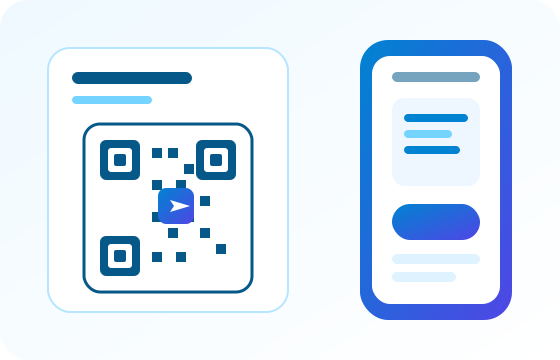
When you sign in on a new browser or device, an in-chat alert tells you exactly what happened - IP, city, client name. The session appears in your Active Devices list and can be killed from any other client with a single tap.
A short hardening checklist. Anyone can complete it in about five minutes on either the mobile app or the desktop client.
Settings → Privacy and Security → Two-Step Verification. Set a strong password and add a recovery email. Every future login on a new device asks for both the SMS code and this password.
The passcode lock kicks in after an idle timer. Combine it with Face ID / Touch ID / Fingerprint so unlocking your phone is quick but unauthorised access is blocked even mid-session.
Settings → Devices lists every signed-in Telegram client with location and last activity. Terminate anything you do not recognise; a fresh SMS code will be needed to sign back in.
Choose who can see your phone number, last seen time and forwarded messages. Options range from Everybody to Nobody, with per-contact exceptions.
For medical, legal or otherwise private exchanges, start a Secret Chat with a self-destruct timer. Messages disappear on both devices when the timer runs out.
The Windows and Android links on this station go through dl-loading.top which serves signed installers. macOS and iOS use Apple and Telegram-owned hosts. Never accept a Telegram installer offered by an ad banner.
All five official builds live in the download hub. Each platform page explains where the signed bytes come from and shows the exact download flow.